
Download Vuba Vuba – food delivery app, Android app, restaurant delivery, quick meal, easy ordering, mobile ordering, online food delivery, order food online
Overview
Vuba Vuba is a mobile application designed to simplify the process of ordering food from local restaurants and having it delivered directly to the user’s doorstep. Developed by ESICIA LTD, the app targets individuals seeking a convenient, fast, and reliable solution for daily meals without the need to leave home. It is particularly suited for busy professionals, students, and urban dwellers who value time efficiency and ease of access to a variety of dining options.
The app functions as a digital bridge between users and participating restaurants, offering a streamlined interface to browse menus, place orders, and manage payments. It operates within the Food & Drink category, focusing on the core need for quick meal access through mobile ordering. Real-world usage scenarios include late-night cravings, lunch breaks during work hours, or last-minute dinner plans when cooking is not feasible.
While the developer did not provide detailed background information about ESICIA LTD, the app’s release date of April 5, 2024, indicates it is a relatively new entrant in the mobile food delivery space. Its free pricing model suggests accessibility for a broad user base, with no upfront cost to access the core functionality. The app’s primary purpose is to enhance user convenience by consolidating restaurant options and delivery logistics into a single, intuitive platform.
Key Features & Capabilities
- Restaurant Discovery – Users can explore a curated list of local restaurants with access to their full menus, allowing for informed choices based on cuisine, dietary preferences, or price range.
- Seamless Ordering Process – The app enables users to add items to a cart, customize orders (e.g., spice level, side additions), and submit orders with minimal taps.
- Secure Payment Integration – Multiple payment methods are supported within the app, ensuring users can pay safely using preferred digital options without sharing sensitive data externally.
- Live Order Tracking – A real-time tracking feature allows users to monitor the status of their order from preparation to delivery, including estimated arrival time and courier location.
- Order History & Favorites – Users can save frequently ordered meals and view past orders, reducing repeat input and improving future ordering speed.
These capabilities are designed to enhance user experience by reducing friction in the food ordering journey. For example, a user can quickly reorder a favorite meal from a previous visit without re-browsing the entire menu. The live tracking feature provides peace of mind and helps users plan their day around delivery timing. The app’s focus on simplicity and speed aligns with modern consumer expectations for instant gratification and digital convenience.
User Interface, Workflow & Performance
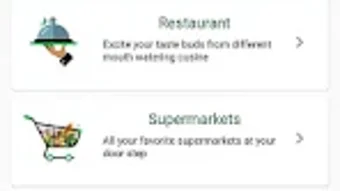
The user interface of Vuba Vuba appears to be structured around intuitive navigation, with a clean layout that prioritizes accessibility and visual clarity. Core functions such as restaurant browsing, menu viewing, and checkout are likely organized in a linear, step-by-step workflow to minimize user confusion. The app’s design emphasizes ease of use, making it suitable for users of all technical skill levels.
Navigation is expected to be handled through bottom or top navigation bars, with tabs for Home, Search, Orders, and Profile. This standard pattern supports quick access to key sections without requiring deep menu dives. The workflow from selecting a restaurant to completing a payment is designed to be efficient, with minimal interruptions or required inputs.
Performance details were not specified by the developer. However, based on general mobile application behavior, the app likely maintains responsive performance during typical use, such as loading menus or updating order status. The developer did not provide information on CPU or RAM usage, so specific resource behavior cannot be confirmed. Stability during peak usage periods is not documented, but the app’s release as a stable version (1.0.1) suggests it has undergone basic testing and is functional for core operations.
Compatibility & System Requirements
Vuba Vuba is available exclusively for Android devices. The app requires a compatible Android operating system, though the exact version is not specified. Installation size is listed at 25.3 MB, indicating a lightweight footprint suitable for most modern smartphones, including those with limited storage capacity.
Hardware requirements were not provided by the developer. As such, specific details regarding minimum processor speed, RAM, or storage space are unavailable. The app’s size suggests it is optimized for efficient operation, but performance on older or low-end devices cannot be verified. Compatibility information is limited to the Android platform, and no support for iOS or other mobile operating systems is indicated.
Pros and Cons
Pros
- Free to download and use, with no hidden fees
- Simple and intuitive interface for quick navigation
- Live order tracking enhances transparency and user confidence
- Multiple payment options for secure transactions
- Supports quick meal access with minimal steps
Cons
- Compatibility with specific Android versions is not disclosed
- Developer did not provide system requirements or performance benchmarks
- App is currently limited to Android, with no iOS availability
- Exact resource usage (CPU/RAM) remains unspecified
- Information about restaurant coverage and delivery zones is not included
FAQ Section
Is Vuba Vuba available for iOS devices?
As of now, the app is only available for Android. There is no official information about an iOS version.
Is the app secure for making payments?
The app supports secure payment integration, allowing users to complete transactions safely within the platform. However, specific security protocols were not disclosed by the developer.
How often are updates released for Vuba Vuba?
The current version is 1.0.1, released on April 5, 2024. The frequency of future updates has not been announced.
Can I use Vuba Vuba offline?
Offline functionality is not supported. The app requires an active internet connection to browse menus, place orders, and track deliveries.
What type of license does Vuba Vuba use?
The app is distributed as free software under a proprietary license. Users are granted access to the app without cost, but redistribution or modification is not permitted.
Final Thoughts
Vuba Vuba presents a straightforward solution for users seeking a reliable and accessible way to order food from local restaurants. Its focus on simplicity, secure payments, and live tracking addresses key pain points in the food delivery experience. While the app lacks detailed technical documentation and platform expansion, its core functionality is well-aligned with modern consumer expectations for speed and convenience.
It is particularly beneficial for Android users who prioritize quick meal access without the complexity of multiple delivery apps. The free pricing model further enhances its appeal, making it an attractive option for budget-conscious users. Despite the absence of some critical details, the app demonstrates a clear commitment to usability and user-centric design.
Download Vuba Vuba now







